I care a lot about healthy chat. Over the last decade I've built streaming systems and run moderation stacks for creators and media teams scaling from dozens of viewers to six-figure audiences. What I’ve learned is that moderation isn't just about banning words or silencing people — it's a product problem, a community contract, and a technical automation challenge all rolled into one. In this piece I’ll walk you through a practical, fair and scalable approach to creating moderation rules that protect your chat while keeping it welcoming as your audience grows.
Start with a clear community policy (and make it visible)
Before you touch any bots or automations, write a short, readable community policy. Treat it like a product mission statement: concise, actionable, and visible.
- Keep it short: 3–6 bullet points that state what behavior you expect and what you won’t tolerate (hate speech, doxing, spamming, harassment, self-promotion without permission).
- Use plain language: Avoid legalese — say exactly what you mean and provide short examples of acceptable/unacceptable behavior.
- Publish it: Pin it to chat, link it in panels, add it to your Discord rules and YouTube channel description.
- Define proportional responses: For each rule, outline the likely consequence (warning, timeout, ban, review) so the community knows what to expect.
People are more likely to respect rules they can read and understand. A visible policy reduces friction for moderators and makes enforcement feel less arbitrary.
Design moderation tiers — human-first, then automated, then escalated
Moderation should be layered. I use three tiers: prevention, automated response, and human escalation. Each tier has a role and a clear handoff to the next.
- Prevention: Tools and settings that reduce noise before it happens — slow mode, follower-only mode, chat filters (URLs, caps, emotes), account verification requirements.
- Automated response: Bots that handle repeatable infractions: spam, blacklisted words, invite links, excessive emojis. Automation must be conservative — better to let a human review borderline cases than repeatedly ban innocents.
- Human escalation: A defined path for moderators to review complex or high-stakes incidents (dozing, targeted harassment, impersonation). This includes an appeals process and a log of actions.
Make rules fair: context matters
One of the biggest mistakes I see is rigid word-blocking without context. Moderation that ignores context undermines trust.
- Implement smart filters: Use regex patterns and context-aware tools (Twitch AutoMod, YouTube’s safety filters, or perspective APIs) instead of blunt blacklists.
- Whitelist intent: For example, “kill” in a gaming context is different from a threat. Use category-based rules or channel-based overrides so viewer language relevant to your content isn't flagged unnecessarily.
- Rate-limit, don’t automatically ban: For non-violent but disruptive content (caps, repeated emoji), start with slow-mode or temporary timeout rather than a straight ban.
Set measurable thresholds and iterate
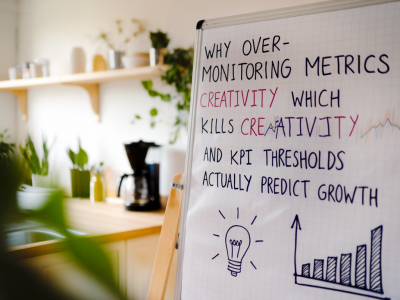
Treat moderation rules like experiments. Define metrics you can track and iterate based on data.
- Key metrics: number of infractions per stream, percent of automations that required human review, time to resolve escalations, appeals rate, and viewer retention after enforcement events.
- Run A/B experiments: Try different timeout lengths or different AutoMod confidence thresholds across streams and measure community outcomes.
- Log everything: Keep a searchable incident log (Google Sheets, Notion, or a small internal dashboard). Logs help you identify repeat offenders, unfair bot behavior, or rule blind spots.
Use the right tools and integrate them
Tool selection matters less than how you combine them. Here are practical combinations I’ve used:
- Twitch: AutoMod for initial screening, Nightbot/StreamElements for spam and link blocking, and a custom moderation dashboard via Streamlabs or a simple web form for escalations.
- YouTube: Use channel-level filters, community settings for link/comment hold, and complement those with a Discord server where mods can triage issues in real-time.
- Discord: MEE6/AutoMod plus role-based permissions; use webhooks to feed incidents into a mod-only channel and a logging channel for transparency.
For advanced teams, I recommend adding a content-safety API (e.g., Perspective API or commercial offerings like Two Hat) to filter toxicity with adjustable thresholds. These services provide confidence scores, letting you route borderline messages to moderators rather than outright deleting them.
Define moderator roles and an appeals process
As your team grows, role clarity keeps enforcement consistent and fair.
- Moderator tiers: Junior mods for routine timeouts and spam handling; senior mods for escalations and bans; owner/admin for final appeals and policy changes.
- Playbooks: One-pagers for common scenarios (do we ban for political discourse? How to handle targeted harassment?) so responses are consistent even with different moderators on duty.
- Appeals: Offer a simple appeals path (a form or DM to a senior mod). Track outcomes publicly or privately so the community sees the system isn’t arbitrary.
Communicate with transparency and de-escalate publicly
When enforcement happens live, community perception matters. I’ve found a small set of communication rules helps:
- Announce rules and actions briefly: “That message violated our policy on harassment; it was timed out.” Short, factual, no drama.
- Avoid public shaming: If someone is a repeat offender, handle it in DMs when possible. Publicly explain policy, not punishment.
- Show moderation data: Monthly moderation summaries (number of infractions, appeals outcomes, policy updates) build trust and improve buy-in.
Scale with automation but keep human judgment at decision points
Automation reduces moderator burnout and keeps chat tidy at scale, but it shouldn’t remove human judgment from high-impact decisions. Use automation to handle noise and surface potentially serious cases to humans. Set conservative bot settings that err on the side of review, not deletion, then tune based on logged outcomes.
| Layer | Example tools | When to use |
|---|---|---|
| Prevention | Slow mode, follower-only, verification | High traffic, raids, new streams |
| Automated response | AutoMod, Nightbot, StreamElements, Perspective API | Spam, profanity, link blockers |
| Human escalation | Mod channels, incident logs, appeals form | Harassment, doxxing, impersonation |
If you’re building a moderation strategy, start with a simple, visible policy and a two-week experiment: conservative automation + human review + incident logging. Measure, iterate, and document every policy change. Over time you’ll end up with a system that scales technically and is perceived as fair by your audience — which is the real win.