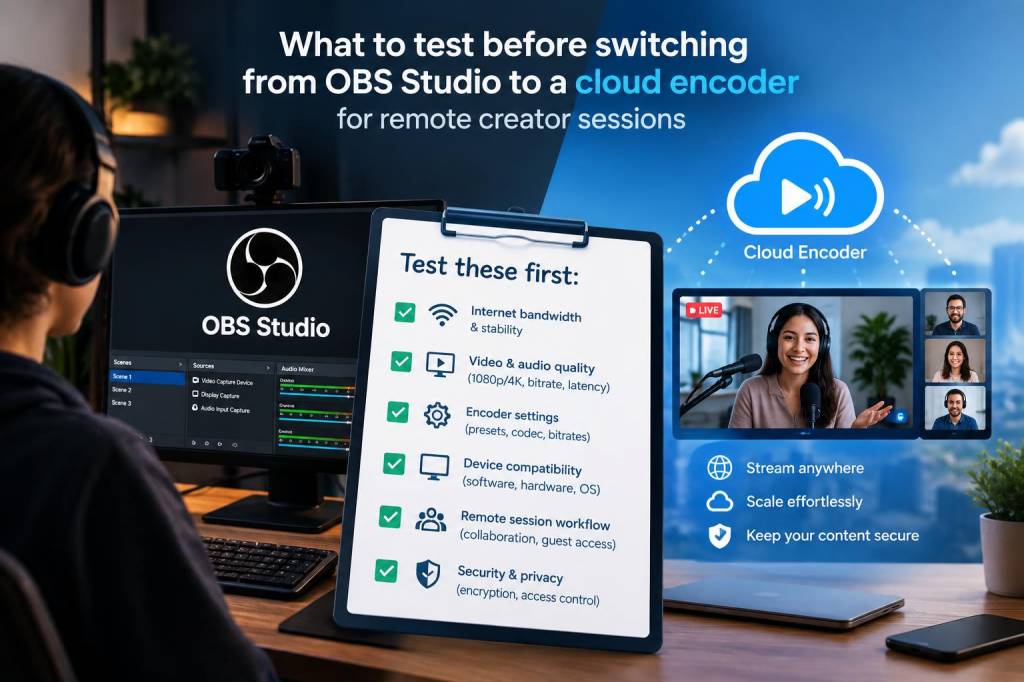
When I move a remote creator session from a local OBS Studio setup to a cloud encoder, I do not treat it like a simple software swap. I treat it like a workflow migration. The encoder is only one part of a larger system that includes camera capture, audio routing, internet stability, remote guests, backup plans, monitoring, and delivery quality. If I skip testing, I usually discover the weak points at the worst possible moment: right before a live session, during a sponsor segment, or halfway through a guest interview.
Over time, I have learned that the real question is not whether a cloud encoder looks more convenient on paper. It is whether it can handle your exact production reality without introducing delays, quality loss, or operational stress. For remote creator sessions, that means I test everything from latency and sync drift to moderation control and recovery paths. I want confidence, not just a shiny dashboard.
Session latency and interaction timing
The first thing I test is latency, because remote sessions live or die on timing. If I am running a live creator session with audience chat, live reactions, or co-host handoffs, even a small delay can make the experience feel disconnected. Cloud encoders often add an extra layer of processing and transport, so I check the full path from input to playback, not just the encoder’s advertised speed.
I usually run a few short test sessions with real participants and measure the delay between a spoken cue and what appears on the receiving end. I pay attention to whether the latency stays consistent or fluctuates. Consistency matters almost as much as raw speed, because uneven delay makes conversation awkward. If my remote guest hears me two seconds late in one moment and five seconds late in another, the session feels unstable even if the picture looks clean.
I also test whether the encoder behaves differently under changing conditions. A session that feels smooth with one camera and one microphone can become slower once I add screen shares, scene changes, or a second guest. I want to know the ceiling before I rely on it in front of an audience.
Audio quality, routing, and sync
Audio is the area I test most aggressively, because viewers tolerate a soft image more easily than broken sound. Before switching away from OBS Studio, I compare the cloud encoder’s handling of microphone input, desktop audio, remote guest audio, and music beds. I check whether I can separate sources cleanly or whether everything gets flattened into one mix too early.
For remote creator sessions, I care about three things:
- Whether voices remain clear after compression
- Whether echo cancellation behaves well with remote guests
- Whether lips and voices remain locked after longer sessions
That last point matters more than people expect. Some systems sound fine at minute five and drift by minute forty. I always run a long-form test, because sync issues sometimes appear only after the session has been live for a while. I also check whether the cloud encoder preserves audio levels across scene changes. Sudden jumps in volume are a sign that I may need extra processing before sending the feed upstream.
Video fidelity under real bandwidth conditions
A cloud encoder may promise efficiency, but I do not trust the promise until I test image quality across different network conditions. Remote creator sessions rarely happen on perfect connections. Someone is on hotel Wi-Fi, someone else is using a shared office network, and the host may be on a home line with competing traffic. I want to know what the stream looks like when bandwidth is healthy and what happens when it drops.
I compare motion handling, text legibility, skin tones, and low-light performance. If I run overlays, lower thirds, or product screenshots, I make sure they stay readable after compression. I also test fast movement, because creators often gesture, lean in, or switch between cameras quickly. Some cloud encoders smooth motion well, while others turn action into soft blur.
I do not just look at the final stream. I also inspect the source preview and any recorded copy if the platform provides one. Sometimes the live feed looks acceptable, but the archive reveals heavier compression than I expected. That matters if I plan to reuse the session for clips, highlights, or VOD publishing.
Connection resilience and failure behavior
One of the biggest reasons I consider a cloud encoder is resilience. Local OBS Studio setups are powerful, but they depend heavily on the machine running them. If that computer freezes, overheats, or loses power, the session can collapse. A cloud encoder can reduce that risk, but only if I verify its recovery behavior.
I deliberately test failure scenarios. I disconnect and reconnect the network. I refresh sources. I simulate a dropped remote guest. I want to know whether the encoder pauses cleanly, reconnects automatically, or leaves me guessing. I also test whether it keeps recording during brief disruptions. A system that fails gracefully is far more valuable than one that fails silently.
When I evaluate resilience, I ask myself a simple question: if something breaks, how long does it take me to recover, and what does the audience see during that recovery? If the answer is stressful, I am not ready to switch yet.
Remote guest onboarding and session control
Remote creator sessions are only as smooth as the guest experience. I test how easy it is for a guest to join, approve permissions, and appear on screen without confusion. A cloud encoder may simplify production for me, but if it creates friction for guests, that friction shows up on camera.
I look at the entire onboarding sequence. Can a guest join with a browser link? Do they need to install software? Can I adjust their camera or microphone quality? Can I mute or hide them quickly if needed? If the answer to any of those questions is unclear, I expect production friction later.
I also test host control during the live session. I want the ability to change layouts, swap scenes, cut to full screen, and handle a guest who suddenly has noise in the background. If the cloud encoder feels slower than my current OBS workflow for those common actions, the convenience may not be worth the trade-off.
Monitoring, alerts, and visibility
In OBS Studio, I am used to seeing a lot on one screen. When I move to a cloud encoder, I need to know what visibility I lose and what monitoring tools I gain. I test whether I can see health indicators for CPU load, ingest quality, packet loss, dropped frames, and output status. I also check whether alerts are clear enough for me to act quickly.
Good monitoring is not about collecting more data. It is about seeing the right data at the right moment. If I have to dig through multiple panels just to confirm whether a guest feed is clean, I will waste precious seconds during a live session. I want a control surface that tells me what is happening without forcing me to interpret a puzzle.
For teams, I also test whether another person can monitor the session remotely without needing my login or my machine. That becomes important when I want a producer, editor, or moderator to support the session in parallel.
Recording, archive quality, and repurposing
Many remote creator sessions are not just live events. They become podcasts, clips, newsletters, social posts, and training assets. That is why I always test the recording layer separately from the live stream. A cloud encoder might produce a fine live feed but a weak archive, and that creates extra work later.
I check recording resolution, audio separation, file naming, storage reliability, and download speed. I also ask whether the recording begins and ends cleanly or whether I need manual cleanup. If I plan to repurpose the session, I want a recording that is easy to edit and archive.
I have learned to test with a real content structure: intro, conversation, screen share, guest swap, sponsor mention, and closing segment. That way I can see whether the archive preserves changes in scene composition and whether any part of the session degrades during more demanding moments.
Security, access, and workflow permissions
Cloud-based production changes the security picture. I am careful about who can access the encoder, who can change scenes, and who can download assets. Before switching, I review account permissions, link sharing, authentication options, and audit history.
This matters even more when I work with collaborators, contractors, or rotating guests. I want to know whether I can create limited access roles rather than giving everyone full control. I also test how quickly I can revoke access if someone leaves a project. The more external people I involve, the more important this becomes.
I also look at brand assets and content protection. If I store intros, lower thirds, or sponsor graphics in the cloud, I want to know where they live, who can edit them, and whether version control is reliable.
A practical comparison I use during migration
| Test area | What I measure | Why it matters |
|---|---|---|
| Latency | Time from input to playback, stability over time | Conversation timing and live interaction |
| Audio | Clarity, sync, echo control, level consistency | Viewer retention and guest comfort |
| Video | Compression, motion handling, text readability | Visual quality and clip reuse |
| Recovery | Reconnect behavior, failure visibility, session continuity | Risk reduction during live production |
| Guest flow | Join friction, permission control, layout switching | Cleaner remote collaboration |
| Archive | Recording quality, file access, storage reliability | Post-production efficiency |
What I want to learn before I commit
Before I fully replace OBS Studio for a remote creator session, I want evidence that the cloud encoder can do more than match my current setup. I want to know whether it reduces setup stress, improves collaboration, and keeps quality stable when conditions are messy. If it only performs well in ideal demos, I keep testing.
I also pay attention to workflow feel. A tool can be technically strong and still slow me down if it adds too many steps. For me, a successful migration means I can prepare faster, troubleshoot less, and stay focused on the actual session rather than the mechanics of delivery. That is especially important when I am juggling guests, live chat, and content repurposing at once.
In practice, my switching decision depends less on a feature checklist and more on repeated, realistic sessions. I want to see the cloud encoder survive interruptions, handle remote participants gracefully, preserve audio and video quality, and give me enough control to stay calm under pressure. Once it passes those tests, I am much more willing to trust it with live creator work.