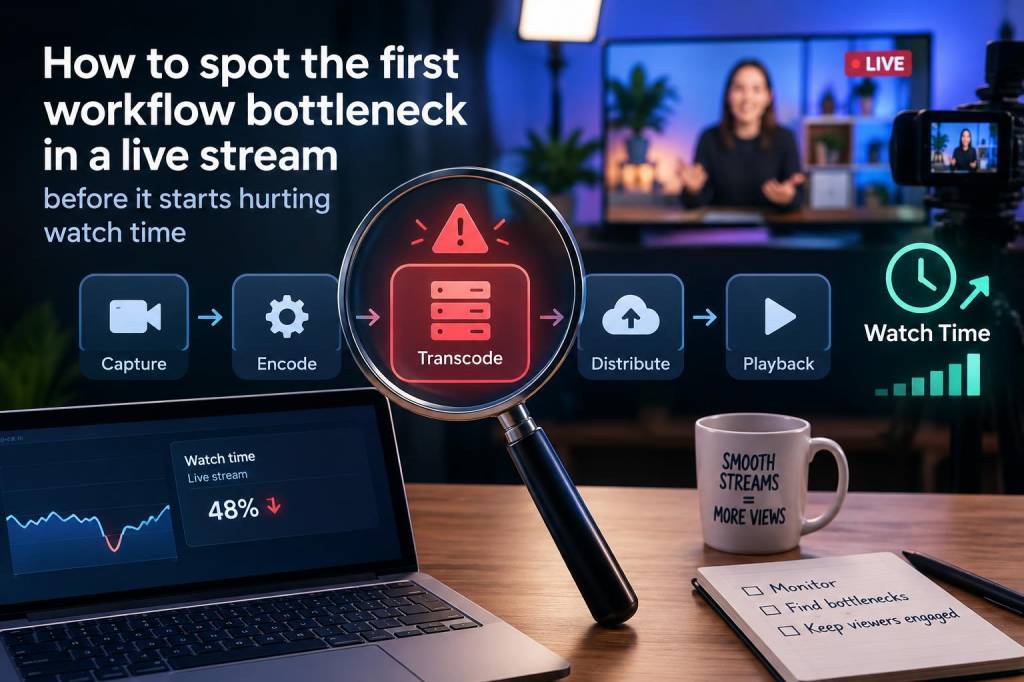
When I audit a live stream setup, I do not start by looking for dramatic failures. I look for tiny delays, awkward handoffs, and places where a single task quietly absorbs more attention than it should. That is usually where the first workflow bottleneck lives. It rarely announces itself as a crisis. It shows up as a five-second hesitation, a missed scene change, a delayed response to chat, or a moment where I feel pressure build right before going live. If I catch that early, I can protect watch time before viewers ever notice a problem.
What matters most is that a workflow bottleneck is not always a technical fault. Sometimes it is a human friction point. I have seen creators blame internet speed when the real issue was scene switching under stress, audio monitoring spread across too many apps, or a stream checklist that lived in three different places. When a live stream starts feeling heavy before it even begins, I treat that as a signal. I want to know which step is stealing speed, focus, or confidence.
What I Look For Before A Stream Begins
My first pass is always practical. I ask myself where I pause, where I repeat work, and where I depend on memory instead of a system. A healthy live workflow feels almost boring once it is in place. A weak one asks for constant interpretation. If I have to decide what to do next instead of following a clear sequence, I am already close to a bottleneck.
Before going live, I watch for these early warning signs:
- I am still adjusting scenes after the scheduled start time.
- I am opening too many tools just to confirm one setting.
- I am checking audio, overlays, and chat in separate places without a clear order.
- I keep rewriting the same notes because nothing is stored in one reliable place.
- I feel rushed even though I started preparing on time.
That last point matters more than people think. Stress is often the first visible symptom of a workflow bottleneck. When I feel tense before the stream even begins, I know my setup is asking for too much attention. A good workflow reduces cognitive load. A bad one turns every launch into a small emergency.
Where The First Bottleneck Usually Hides
In my experience, the first bottleneck usually sits in one of four places: preparation, scene control, audio control, or communication flow. I have learned not to assume the obvious issue is the real one. For example, if a stream feels slow to launch, many people blame encoding or upload limits. Sometimes that is true. But often the first delay happens earlier, when assets are scattered, naming conventions are inconsistent, or a scene structure makes simple changes take too long.
Preparation bottlenecks happen when assets, links, talking points, and backup material are not ready in one place. If I need to hunt for a logo, re-open a script, or rebuild a lower-third graphic five minutes before stream time, that process is already eating into attention that should belong to the audience.
Scene control bottlenecks show up when I need too many clicks to move between intro, main content, and intermission states. If changing one scene takes more effort than it should, I lose speed exactly when I need to stay responsive. I have seen creators overbuild their scene collections until the stream feels like a maze.
Audio control bottlenecks are especially dangerous because they can damage trust fast. If monitoring is split across software, hardware mixers, and browser sources without a clear hierarchy, I end up second-guessing every adjustment. That hesitation can delay responses to clipping, silence, or echo, and those issues push viewers away quickly.
Communication bottlenecks are subtler. Sometimes the stream is technically fine, but I have no fast way to read chat, pin useful messages, or surface audience questions. When interaction becomes slow, watch time usually drops because the stream feels less alive.
Signals I Trust More Than Metrics Alone
I do pay attention to analytics, but I never wait for dashboards to tell me something is wrong. By the time average watch time falls, the bottleneck has usually been active for a while. I prefer to catch the signs earlier through behavior and pacing.
One of the clearest signals is decision drag. That is the moment I hesitate because I need to choose between too many options. If I pause to decide whether to switch to a BRB scene, fix an alert, or answer chat, then the workflow has already become too complex. Viewers feel that hesitation even if they cannot name it.
Another signal is repeated micro-fixes. If I keep nudging the same volume fader, restarting the same source, or reloading the same browser panel during a stream, I am not solving a live problem. I am revealing a process that is not stable enough for live use.
I also watch for unnecessary context switching. If I have to jump between OBS, a browser dashboard, a notes app, a Discord window, and a phone just to keep the stream moving, I am building friction into every minute. That friction is often invisible from the outside, but it drains focus and shortens the time I can stay fully present with viewers.
My Fast Check For Finding The First Weak Point
When I suspect a bottleneck, I run a short diagnostic in my head. I do not need fancy tools for this. I need honest observation.
- What task takes longer than it should during stream setup?
- What step do I avoid because it feels annoying?
- What do I always fix manually even though it should be automatic?
- What do I forget most often right before going live?
- What causes me to stop thinking about content and start thinking about mechanics?
If one of those answers keeps repeating, I have found a likely bottleneck. I then ask whether the problem is structural or accidental. Structural issues need workflow redesign. Accidental issues need better documentation or a backup habit. That distinction saves me from overcorrecting.
Tools I Use To Reveal Friction Early
I like tools that make weak points visible without adding more complexity. In OBS, for example, I pay close attention to source organization, hotkeys, and scene transitions. If a simple action needs too much mouse movement, I know I am building delay into the stream. Stream Deck profiles are useful for this because they expose how many manual steps I am still carrying.
I also use lightweight checklists. Not a giant project board, just a short pre-live list with only the actions that protect stream stability. If the list gets too long, it becomes part of the problem. My goal is not to document everything. My goal is to remove uncertainty.
For audio, I like clear signal paths and visible monitoring. I want to know exactly where the microphone is processed, where alerts enter the mix, and where a backup route exists if something fails. Whenever audio troubleshooting requires detective work during the stream, I treat that as an architectural flaw.
For content flow, I sometimes script only the opening five minutes. That small decision often reveals more bottlenecks than a full script would. If I cannot move smoothly through the opening, I know the issue is not just content quality. It is sequencing, setup, or interface design.
What I Change First When I Find A Bottleneck
I do not try to fix everything at once. I start with the step closest to the viewer experience. If a scene switch takes too long, I simplify the switch. If chat response is delayed, I reduce the number of places I check messages. If setup feels chaotic, I compress the pre-live routine into fewer steps.
My rule is simple: remove friction before adding sophistication. People often want new overlays, more automations, or a bigger production setup when what they really need is a cleaner path from preparation to broadcast. A stream with fewer moving parts often feels more professional than one with more features.
I also look for hidden duplication. If I am entering the same info into multiple systems, I ask whether one source of truth would solve the issue. If I am manually repeating a task that software could handle safely, I test automation carefully. If I am relying on memory for something critical, I turn it into a visible step.
How I Protect Watch Time By Fixing Friction Early
Watch time is not only about content quality. It is also about rhythm. Viewers stay longer when the stream feels smooth, confident, and responsive. The first bottleneck often breaks that rhythm before the stream has a chance to settle in. That is why I focus so much attention on the first few minutes. If the opening feels controlled, the rest of the session usually benefits.
I have noticed that small workflow improvements can create outsized gains in retention. Faster scene changes make the stream feel more alive. Cleaner audio monitoring makes my voice easier to trust. Better chat handling makes the audience feel seen. Even a modest reduction in pre-live stress often improves on-camera energy, and that shows up in engagement.
What I am really doing is protecting attention. Mine and the viewer’s. If I spend less attention on mechanics, I have more of it left for pacing, context, reactions, and conversation. That balance is what keeps a live stream from feeling like a series of interruptions.
| Signal | Likely Bottleneck | What I Check First |
|---|---|---|
| Slow stream launch | Preparation friction | Asset location, checklist clarity, scene readiness |
| Frequent hesitation | Decision drag | Scene layout, hotkeys, routine clarity |
| Audio uncertainty | Monitoring complexity | Signal path, mixer routing, backup settings |
| Late chat responses | Communication friction | Chat visibility, moderation flow, notification setup |
| Repeated small fixes | Workflow instability | Automation gaps, source reliability, step duplication |
When I look for the first bottleneck, I am not hunting for perfection. I am looking for the earliest place where effort stops feeling proportional to impact. That is usually the clearest sign that a workflow is beginning to strain. Catching it there gives me room to simplify before the strain turns into lost momentum on stream.