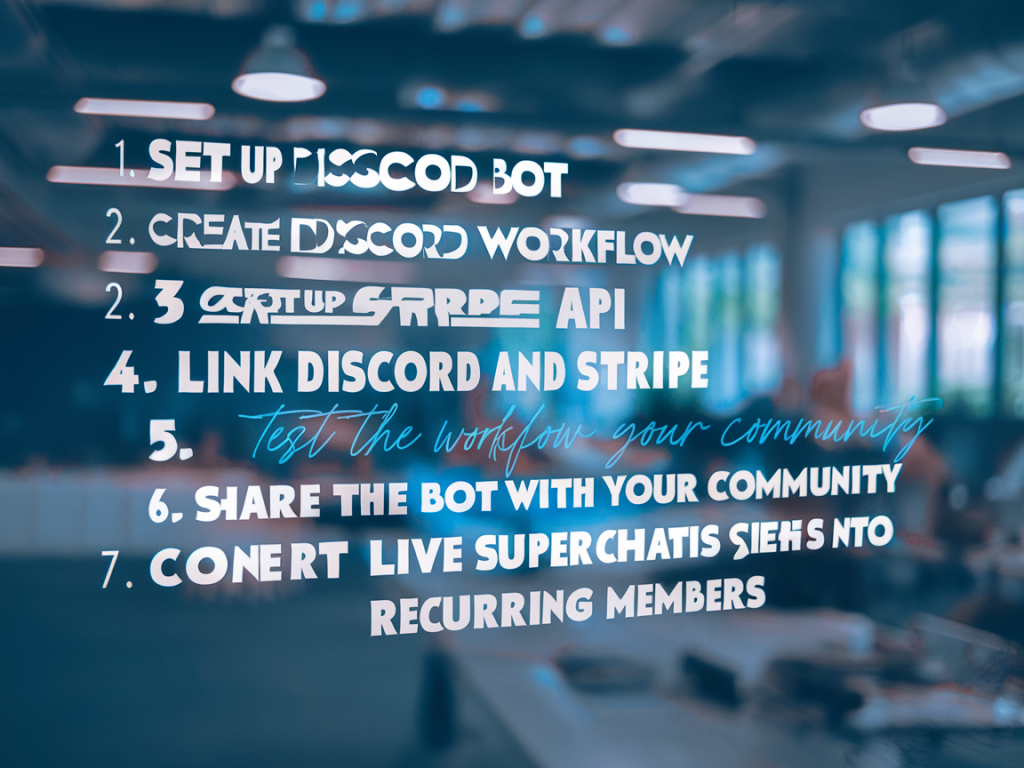
I run a lot of experiments turning one-off live payments into predictable monthly income. One pattern that reliably works is treating a live superchat (or similar in-stream tip) as the first-step of a conversion funnel — not the end goal. Below is the exact, practical checklist I use to convert superchats into recurring members using Discord workflows and Stripe subscriptions. This is hands-on: tech setup, copy snippets, automation choices, and the behavioral nudges that actually move people from a one-time show of support to a paid member.
Why this works
Superchats are high-intent moments — viewers already opted to stand out and financially support you. That emotional and attention signal makes them more likely to join a membership if you act fast and make the path simple. Discord is the natural community layer for creators: visible social proof, gated roles, and direct access. Stripe gives you a reliable subscription engine and predictable revenue. The magic is in the frictionless handoff: capture the donor, prompt a short conversion flow, then use Discord to deliver immediate value and a sense of belonging.
Pre-flight setup (what you need before the stream)
- Stripe account: configured for payouts, with a product and at least one subscription plan (you can have a trial or coupon ready).
- Discord server: roles for 'Member' tiers and any bonus roles (e.g., Early Access, VIP Chat).
- Automation bridge: Zapier, Make (Integromat), or a small webhook endpoint you control. This converts superchat metadata into an email or Stripe Checkout link trigger.
- Payment landing page: a lightweight hosted checkout or a Stripe Hosted Checkout Session URL tuned for mobile (fast load).
- Short, tracked link: use a UTM or shortener to measure conversion from a specific stream.
- Clear membership benefits written in plain language (what they get, how often, cancellation policy).
- Bot or role-manager for Discord that can assign roles via API (examples: MEE6, Carl-bot, or a custom bot using Discord.js).
Step-by-step live funnel checklist
- Identify the trigger: configure your stream alert system (Streamlabs, StreamElements, OBS browser source) to capture superchat events in real time. The critical piece is getting the donor's username and the amount into a downstream automation. If your tool supports webhooks, send those events to your automation bridge. If not, use a third-party integration (StreamElements → Zapier) or a small script listening to the YouTube API.
- Capture contact info ASAP: superchats often expose a display name but not email. Immediately DM the donor via chat or prompt them in-stream to click a short link for a 'thank you + exclusive offer' that lands on a one-click checkout page. Make the link visible as a QR code on-screen and in the chat for mobile users.
- Use a pre-filled, low-friction checkout: Stripe Checkout Sessions are excellent here — they are optimized for quick mobile payments. Your landing page should be minimal: confirmation that the donor is recognized, the membership tier pre-selected, and a one-click subscribe CTA. Offer a short free trial or partial discount to nudge conversion.
- Automate role assignment on successful subscription: use Stripe webhooks. On invoice.payment_succeeded or checkout.session.completed, forward the event to your automation bridge which then calls Discord’s API (or your role bot) to assign the role. Ensure your webhook verifies the Stripe signature for security.
- Deliver an instant community welcome: when the role is assigned, trigger an automated DM or a welcome channel post that acknowledges the superchat and thanks them by name. Include next steps (how to access perks, pacing of deliverables) and a link to your member resource hub.
- Tag and track the source: attach metadata to the Stripe Customer or Subscription (Stripe supports metadata) indicating the source stream, superchat amount, and donor username. This lets you measure lifetime value (LTV) against the initial donation and optimize future offers.
- Follow up with a time-limited incentive: if a donor clicks the link but doesn’t subscribe within X hours, send a reminder DM or email offering a small extra (a badge, a free month, an exclusive piece of content) to close the gap. Use a 24–72 hour window — urgency moves conversions without feeling spammy.
Technical specifics and code-adjacent notes
Here are the pieces I build or configure, and why:
- Stream alert → webhook: Streamlabs or StreamElements can push alerts to a webhook (or Zapier). The payload should include username, message, and amount.
- Zapier/Make flow: Action chain: Incoming superchat webhook → create a tracked Session link in Stripe (Checkout Session API) or generate a short URL → DM the user in chat with that link (use the chat API) and optionally send a private message on Discord if you can map usernames.
- Stripe Checkout + Webhook: Create Checkout Session with subscription line item. On checkout.session.completed, the webhook creates a Stripe Customer metadata entry and triggers a POST to your Discord role assignment endpoint.
- Discord role assignment: either use a managed bot (MEE6, Carl-bot) with a webhook endpoint or run a lightweight server using Discord.js that listens for validated Stripe webhooks and assigns roles via guild.members.addRole(userId, roleId).
- User mapping: ideally capture a Discord handle during checkout (one field on your checkout page). If you can’t, send a post-checkout onboarding message asking the new member to post a verification command in a #membership-verify channel (e.g., !verify email-or-code) to link accounts.
Membership messaging templates
Short, usable copy I use during streams and in follow-ups:
- Stream chat prompt: "Huge thank-you to @{name} for the superchat! If you want this to be a monthly thing + get our VIP perks (early episodes, exclusive chat, server role), tap the link: {short.link} — takes 20 seconds."
- Welcome DM after subscribe: "Welcome to the Member tier — you’ve got the 'Member' role on the server now. Head to #start-here for perks and drop a hello in #members-only so we can celebrate you!"
- Reminder follow-up (24h): "Thanks again for the superchat! If you missed the membership offer, this link gives you a free week to check out perks: {trial.link} — limited-time."
Monitoring, metrics and iterative improvements
Measure these KPIs to know if the funnel is healthy:
- Conversion rate: superchats → checkout clicks → subscriptions. Track each step.
- Time-to-convert: median time between superchat and subscription completion.
- Churn rate by cohort: do members who came from superchats churn differently?
- Average revenue per user (ARPU) and average initial superchat value — compare to see payback time on acquisition.
Common improvements I run:
- Shorten checkout flow or enable Apple Pay/Google Pay to reduce drop-off.
- Test two CTAs: one soft (“join the crew”) vs hard (“lock in VIP perks”).
- Offer a micro-membership (lower price, high accessibility) as an entry product.
Pitfalls and how to avoid them
- Privacy and mapping issues: You often don’t have an email from superchat. Don’t force lengthy forms in-stream. Use a post-chat flow that captures minimal info (Discord handle or email) after the person clicks the link.
- Role assignment delays: If your webhook processing is slow, members feel ignored. Ensure webhooks are processed within seconds and that the user gets instant feedback in Discord.
- Over-promising on perks: Deliver what you promise quickly. A delayed exclusive file or ambiguous benefits kill retention.
- Spamming the chat: Use a single clear CTA in-stream. Repetition is fine but be respectful of chat experience.
| Trigger | Automation | Result |
|---|---|---|
| Superchat received | Webhook → generate Checkout link | Donor gets link in chat + QR on-screen |
| Checkout completed | Stripe webhook → call Discord API | Discord role assigned + welcome message |
| Checkout not completed | Reminder after 24h | Conversion nudge via DM or email |
This checklist is intentionally modular: you can start with a manual post-superchat link and manual role assignment, then automate later. The single biggest lever is speed — move from the superchat moment to your membership checkout in under 60 seconds and follow up with immediate Discord recognition. If you want, I can share a sample Zapier/Make flow or a minimal Stripe webhook handler (Node/Express) I use to assign roles securely.